
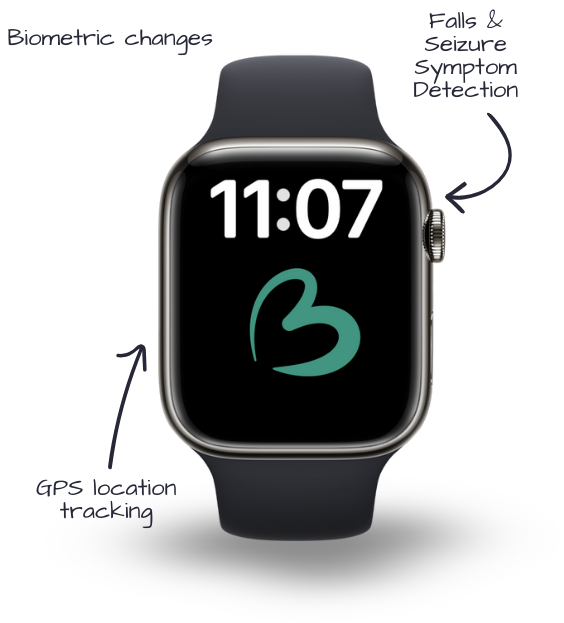
The BoundaryCare Watch
Concerns Addressed:
- Wandering & Elopement
- Activity Reminders
- Safety & Security
The Boundary Care Watch provides discreet location awareness and safety alerts, providing support to family and caregivers through real-time monitoring, customizable boundaries, and mobile notifications.
The BoundaryCare Watch works anywhere there is cellular coverage and does not require a smartphone to operate. It promotes independence, safety, and connection while keeping families and caregivers informed and reassured.
Key Features
- GPS location tracking with real-time updates.
- Safe Zone (geofence) alerts when a person enters or leaves designated areas.
- Two-way voice communication between the wearer and caregivers.
- Automatic alerts for emergencies or unexpected events.
- Step and activity tracking to support daily routines.
- Cellular-enabled device (no phone required).
- Long-lasting rechargeable battery.
- Secure caregiver dashboard for location and alert management.
- Supports multiple caregivers and family members on one platform.
Pricing
BoundaryCare Watch: Contact BoundaryCare for current pricing
Monthly Monitoring & Cellular Service: Required (pricing varies by plan)
How It Works
Step 1: Set Up Safety & Independence Goals
Together individuals, family members and caregivers define Safe Zones (home, school, work, community locations) and determine when alerts should be sent. These settings are customized based on the individual’s routines, independence goals, and supervision needs.
Step 2: Wear the Watch & Stay Connected
The individual wears the BoundaryCare Watch throughout the day. The watch tracks location, supports two-way communication, and automatically sends alerts if a Safe Zone is crossed or help is needed—without requiring the user to manage a smartphone.
Step 3: Monitor & Support Through the Caregiver Portal
Caregivers and family members can use the secure BoundaryCare portal to view real-time location, receive alerts, communicate with the wearer, and gain peace of mind knowing they can respond quickly if needed.
Specifications
What’s in the Box?
- BoundaryCare Watch.
- Charging cable and adapter.
- Setup instructions.
- Access to the BoundaryCare caregiver portal.
Requirements:
- Cellular coverage in the user’s area.
- Internet access for caregivers to use the portal (computer, tablet, or smartphone).
Not sure how to get started with
Remote Support technology?
Book a free Technology Needs Assessment with one of our Remote Support experts.
General Product FAQs
Does the BoundaryCare Watch require a smartphone?
No. The watch is fully cellular-enabled and does not require the wearer to carry or manage a phone.
Who receives alerts?
Alerts can be sent to multiple caregivers or family members at the same time, depending on how the system is configured.
What types of alerts are available?
Location-based alerts (Safe Zone entry/exit), emergency alerts, and other custom notifications depending on the user’s plan.
Can multiple caregivers monitor one person?
Yes. BoundaryCare allows multiple authorized caregivers and family members to access alerts and location information.
Can settings be changed over time?
Yes. Safe Zones, alerts, and contacts can be updated as the individual’s independence and support needs change.
How does BoundaryCare support privacy and dignity?
BoundaryCare focuses on location awareness and communication rather than constant in-person supervision, helping individuals maintain independence while reducing intrusive monitoring.
What happens if the battery runs low?
Caregivers receive low-battery alerts so the watch can be recharged before service is interrupted.
Is BoundaryCare appropriate for people with I/DD?
Yes. The BoundaryCare Watch is specifically designed to support individuals with I/DD, autism, and cognitive disabilities by balancing safety, autonomy, and caregiver peace of mind.