
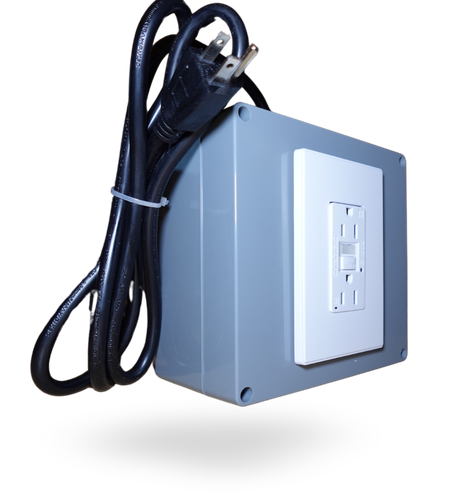
Stove Sensor
Concerns Addressed:
- Home Safety
- Autonomy Support
- Cooking Safety
The Stove Sensor monitors whether an electric or induction stove is on or off, alerting caregivers if it is left on too long, left unattended, or turned on at an unexpected time.
Paired with a Motion Sensor, it can also detect when someone has left the kitchen while cooking and prompt them to return.
Key Features
- Detects stove on/off status in real time
- Configurable alert thresholds to trigger after any set duration
- Pair with a Motion Sensor to detect unattended cooking
- Customizable verbal prompts to remind individuals to return to the kitchen
- Alerts sent via text, email, or phone to caregivers or Remote Support staff
- Works with electric and induction stoves
- Activity logged to SimplyHome portal for trend reporting
How It Works
Step 1: Install and Configure
The sensor is installed on or near the stove during SimplyHome system setup. Caregivers and staff configure rules, for example, ‘Alert if the stove is on for more than 45 minutes’ or ‘Alert if the stove is on after 10pm.’
Step 2: Monitor Activity
The sensor continuously monitors stove status and communicates with the SimplyHome hub. If a rule is triggered, the system immediately sends alerts to designated contacts. A verbal prompt can also remind the individual to turn off the stove or return to the kitchen.
Step 3: Caregiver Response
Caregivers or Remote Support staff receive an alert and can check in with the individual by phone or video call before deciding whether in-person support is needed. Over 90% of incidents are resolved remotely.
Specifications
Compatible Stoves: Electric and induction only (not gas)
Protocol: Z-Wave Plus
Frequency: 908.42 MHz (US)
Power: Battery powered
Alert Types: Text, email, phone call
Connectivity: Integrates with SimplyHome Firefly or Butler hub
Recommended Pairing: Motion Sensor (kitchen)
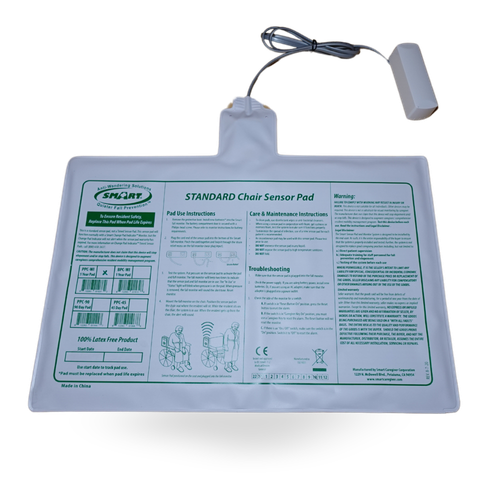
Chair/Bed Pressure Pad Sensor
Concerns Addressed:
- Safety
- Overnight Monitoring
- Autonomy Support
The Chair/Bed Pressure Pad Sensor detects when an individual gets up from a bed or chair and immediately alerts on-site or Remote Support staff.
It’s a key component of overnight monitoring and fall prevention plans, providing a dignified, non-intrusive alternative to cameras.
Key Features
- Detects presence and absence on beds, chairs, and padded surfaces
- Configure alerts for departure during specified hours, typically overnight
- Trigger announcements and alerts to tablets and staff devices
- If not acknowledged by on-site staff, alert automatically escalates to Remote Support
- Supports fall prevention protocols and overnight safety plans
- Thin, discreet pad fits under mattress or chair cushion
- All activity logged for care team review and reporting
How It Works
Step 1: Place Under Mattress or Cushion
The pressure pad is placed discreetly beneath the mattress or chair cushion during system installation. No visible hardware is present from the individual’s perspective.
Step 2: Configure Monitoring Hours
Care teams define the time window during which departure should trigger an alert, typically overnight hours or nap times. Rules can also specify an acknowledgment window before escalation occurs.
Step 3: Alert and Escalate
When the individual gets up during a monitored period, an alert is sent immediately to on-site staff or Remote Support. If not acknowledged within the configured timeframe, the system automatically escalates to the next responder.
Specifications
Detection Method: Pressure-based contact pad
Protocol: Z-Wave Plus / wired depending on configuration
Power: Connected to SimplyHome hub
Form Factor: Thin flexible pad, fits under mattress or seat cushion
Placement: Bed, chair, wheelchair, or sofa
Alert Types: In-home announcement, text, email, phone call
Connectivity: Integrates with SimplyHome Firefly or Butler hub
Escalation: Automatic escalation if alert not acknowledged within set timeframe
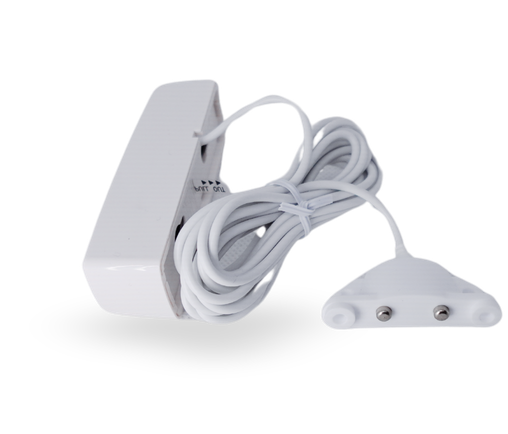
Flood Sensor
Concerns Addressed:
- Home Safety
- Emergency Response
The Flood Sensor monitors for the presence of water on the floor in bathrooms, kitchens, and other at-risk areas, sending an immediate alert to caregivers when moisture is detected.
It’s especially important in overnight or unsupervised settings where a running tap, overflowing bath, or appliance leak could go unnoticed.
Key Features
- Detects moisture on two metal contacts on the underside of the sensor
- Immediate alerts sent via text, email, or phone on water detection
- Low-profile design suitable for bathroom, kitchen, and utility areas
- Battery powered, no wiring or plumbing access required
- Integrates into SimplyHome alert routing and escalation system
- Activity logged to SimplyHome portal
- Test with a damp paper towel, no need to create a water event
How It Works
Step 1: Position in Risk Areas
The Flood Sensor is placed flat on the floor in areas prone to water, typically bathrooms and kitchens, during system installation. The two metal detection contacts sit on the underside, in contact with the floor surface.
Step 2: Detect Water and Alert
When moisture bridges both contacts, the sensor sends an immediate signal to the SimplyHome hub, which triggers alerts to designated caregivers or Remote Support staff.
Step 3: Respond and Document
Caregivers receive an alert and can call or video check in with the individual before escalating to in-person support. All events are logged in the SimplyHome portal for documentation and follow-up.
Specifications
Detection Method: Dual metal contact moisture detection
Protocol: Z-Wave Plus
Frequency: 908.42 MHz (US)
Power: Battery powered
Form Factor: Low-profile floor-mounted sensor
Alert Types: Text, email, phone call
Connectivity: Integrates with SimplyHome Firefly or Butler hub
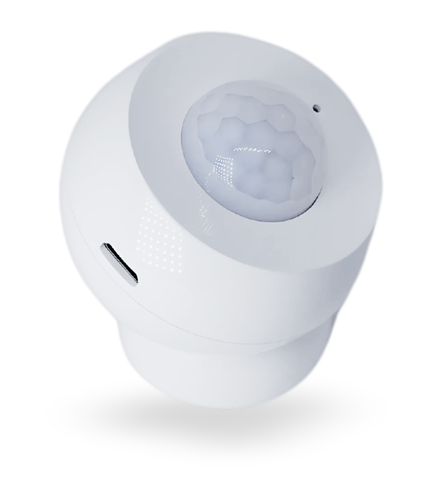
Motion Sensor
Concerns Addressed:
- Overnight Monitoring
- Wandering & Elopement
- Safety & Security
The Motion Sensor detects movement within a defined area of the home, triggering real-time alerts and logging activity for care team review.
Used in bedrooms, hallways, kitchens, and common areas, it provides a privacy-respecting way to monitor daily routines and flag unexpected activity without the use of cameras.
Key Features
- Detects motion within a customizable range
- 3 to 4 minute cool-down period between alerts to conserve battery life
- Trigger alerts based on motion at specific times of day or night
- Combine with Stove Sensor to detect unattended cooking
- Use in hallways or exits for wandering and elopement monitoring
- All activity logged for daily living pattern analysis
- Alerts via text, email, or phone to designated responders
- Battery powered, no wiring required
How It Works
Step 1: Position and Configure
Motion sensors are installed in key areas of the home during system setup. Rules are configured to define when motion should trigger an alert, for example, ‘if motion is detected in the hallway between 11pm and 6am, send a text to the overnight DSP.’
Step 2: Monitor and Alert
When motion is detected, the sensor communicates with the SimplyHome hub, which checks the event against the configured rules. If a rule is triggered, alerts are sent immediately to the designated responders.
Step 3: Review Patterns
All motion activity is logged on the SimplyHome portal. Care teams can review daily and weekly patterns to identify changes in routine, sleep disruption, or unusual activity that may indicate a need for additional support.
Specifications
Protocol: Z-Wave Plus
Frequency: 908.42 MHz (US)
Power: Battery powered
Detection Range: Up to 30 feet (standard indoor range)
Cool-Down Period: 3 to 4 minutes between triggers
Alert Types: Text, email, phone call
Connectivity: Integrates with SimplyHome Firefly or Butler hub
Smoke Alarm Monitor Sensor
Concerns Addressed:
- Emergency Response
- Safety & Security
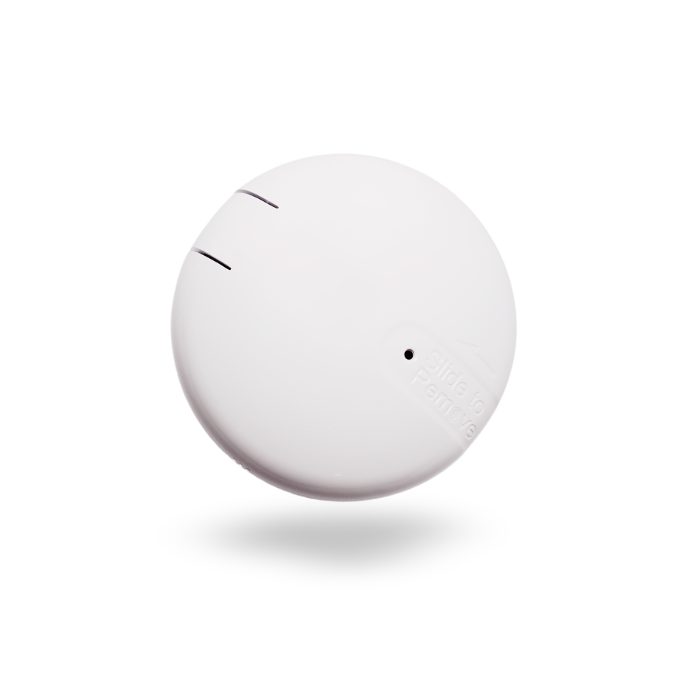
The Smoke Alarm Monitor Sensor listens for the audible alarm of an existing smoke detector and immediately notifies designated caregivers via text, email, or phone when it triggers.
It adds a critical digital layer to existing fire safety equipment, ensuring care teams are alerted even if the individual is unable to call for help.
Key Features
- Detects the sound of an existing smoke alarm, no rewiring required
- Immediate alerts sent to caregivers and Remote Support staff via text, email, or phone
- Integrates into the SimplyHome alert routing and escalation system
- Customizable responder list to alert the right people in the right order
- All activity logged to SimplyHome portal
- Battery powered for continued operation during a power outage
- Works alongside existing fire safety equipment, not in place of it
How It Works
Step 1: Install Near Existing Smoke Alarm
The sensor is placed in close proximity to an existing smoke detector during SimplyHome system installation. It listens continuously for the alarm frequency.
Step 2: Detect and Alert
When a smoke alarm sounds, the sensor immediately triggers the SimplyHome notification system. Designated caregivers, DSPs, or Remote Support staff receive an alert via their preferred contact method.
Step 3: Escalate if Needed
If the primary responder does not acknowledge the alert within a set timeframe, the system escalates to the next person in the responder sequence, ensuring someone is always notified.
Specifications
Detection Method: Acoustic (detects sound of smoke alarm)
Protocol: Z-Wave Plus
Frequency: 908.42 MHz (US)
Power: Battery powered (3V CR-123A lithium batteries)
Battery Replacement: Rotate cover counterclockwise to access battery compartment
Alert Types: Text, email, phone call
Connectivity: Integrates with SimplyHome Firefly or Butler hub
Range Extender
Concerns Addressed:
- Safety & Security
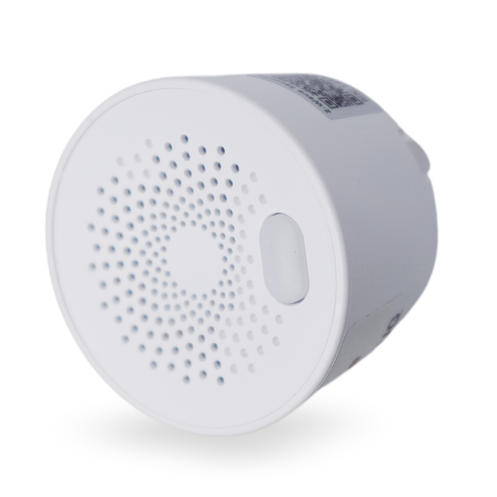
The Z-Wave Range Extender strengthens the wireless mesh network that connects all SimplyHome sensors and devices, acting as a repeater to ensure every sensor stays connected and every alert gets through.
It’s ideal for larger homes, multi-floor settings, and group residences where sensors may be too far from the hub to communicate reliably.
Key Features
- Boosts Z-Wave signal range across larger homes and multi-floor settings
- Plug-in design, no wiring or technical installation required
- Acts as a mesh network node, relaying signals between sensors and the hub
- Ensures reliable communication in areas with thick walls or interference
- Supports all SimplyHome Z-Wave sensors and devices
- Transparent operation, no configuration required by the user
- Always-on connectivity for 24/7 reliability
How It Works
Step 1: Identify Coverage Gaps
During system installation, a SimplyHome technician identifies any areas of the home where sensor signal strength may be reduced due to distance, walls, or interference.
Step 2: Place the Extender
The Range Extender is plugged into a standard outlet at a midpoint between the hub and the sensors that need extended range. It immediately joins the Z-Wave mesh network.
Step 3: Seamless Network Extension
Sensors in the extended area now route their signals through the extender to the hub, ensuring reliable alerting and monitoring across the entire home without any additional user setup.
Specifications
Protocol: Z-Wave Plus
Frequency: 908.42 MHz (US)
Power: 110-240V AC outlet powered
Function: Z-Wave mesh repeater / signal extender
Form Factor: Compact plug-in module
Configuration: Automatic, no user setup required
Compatibility: All SimplyHome Z-Wave sensors and devices
Z-Wave Smart Plug
Concerns Addressed:
- Home Safety
- Remote Support
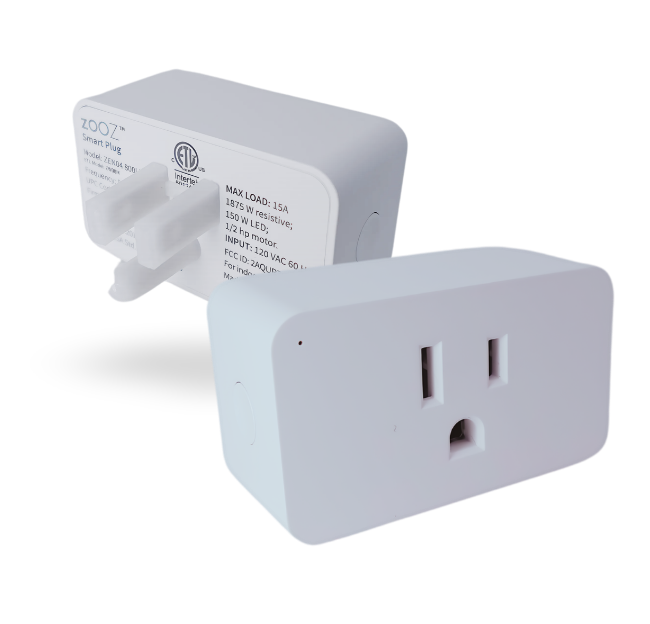
The Z-Wave Smart Plug turns any standard electrical outlet into a smart, monitored connection point, giving caregivers and individuals greater control over the home environment without rewiring or complex installation.
It can track appliance usage, cut power to devices left on overnight, and automate daily routines through the SimplyHome portal.
Key Features
- Remotely switch any plugged-in device on or off via the SimplyHome portal
- Set time-based rules to automatically cut power at specified hours
- Monitor appliance activity in real time
- Receive alerts when a device has been on longer than expected
- Integrates fully with SimplyHome System outcomes and automations
- No wiring required, plugs directly into standard outlet
- Also functions as a Z-Wave mesh repeater to extend network range
How It Works
Step 1: Set Rules
Through the SimplyHome portal, define when appliances should be on or off, or configure alerts for extended use. Rules can be time-based, activity-triggered, or manually controlled.
Step 2: Monitor Activity
Real-time usage data flows into the SimplyHome dashboard. Caregivers can see when a device was turned on or off, how long it ran, and receive text or email alerts if a rule is triggered.
Step 3: Automate or Respond
When a rule is triggered, for example a fan left on overnight, the system can automatically cut power or alert the appropriate caregiver to respond.
Specifications
Protocol: Z-Wave Plus
Frequency: 908.42 MHz (US)
Power: 110-240V AC outlet powered
Max Load: Up to 15A / 1800W
Form Factor: Compact plug-in module
Connectivity: Integrates with SimplyHome Firefly hub
Alerts: Text, email, and phone via SimplyHome portal
Button Sensor
Concerns Addressed:
- Emergency Response
- Safety & Security
- Communication
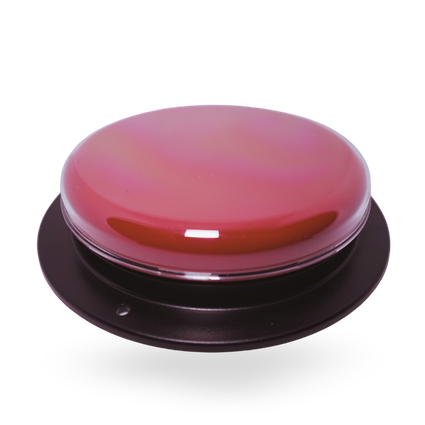
The Button Sensor gives individuals a simple, reliable way to request assistance at any moment, immediately triggering an alert to caregivers, on-site staff, or the SimplyHome Remote Support team.
Buttons can be mounted at bedsides, in bathrooms, or worn as a pendant, ensuring help is always within reach.
Key Features
- Single-press activation sends an immediate alert to designated responders
- Can be mounted at bedside or in the bathroom, or worn as a pendant
- Triggers in-home announcements and remote notifications simultaneously
- Customizable responder sequence, alerts on-site staff first then Remote Support if unacknowledged
- Integrates with the SimplyHome portal for logging and reporting
- Discreet design suitable for any home setting
- Battery powered, no wiring required
- Works as a standalone alert or as part of a wider SimplyHome system
How It Works
Step 1: Place or Wear the Button
The button is positioned at key locations such as the bedside or bathroom, or worn by the individual as a pendant or wristband. Placement is determined during the person-centered assessment process based on the individual’s goals and needs.
Step 2: Press for Assistance
When the individual presses the button, the SimplyHome system immediately sends alerts to designated contacts, whether that is a family member, on-site DSP, or the 24/7 Remote Support team.
Step 3: Respond and Document
Responders receive the alert and can call, video check in, or send in-person support as needed. All activations are time-stamped and logged in the SimplyHome portal for care documentation and pattern review.
Specifications
Protocol: Z-Wave Plus
Frequency: 908.42 MHz (US)
Power: Battery powered
Form Factor: Wall-mounted button or wearable pendant
Activation: Single button press
Alert Types: In-home announcement, text, email, phone call
Connectivity: Integrates with SimplyHome Firefly or Butler hub
Escalation: Configurable acknowledgment and escalation routing
Not sure what technology suits your needs?
Book a free Technology Needs Assessment with one of our Remote Support experts.
Frequently Asked Questions
What is SimplyHome?
SimplyHome provides enabling technology and Remote Support services that help people with intellectual and developmental disabilities (I/DD) live more independently and safely in their own homes. Our platform combines smart home technology, virtual support tools, and real-time data to support individuals, families, and care providers.
What is Remote Support?
Remote Support is a service model that allows trained staff to support individuals from a distance using technology, rather than being physically present 24/7.
It includes tools like sensors, alerts, video check-ins, and two-way communication to provide help when it’s needed, while promoting independence and privacy.
Who is SimplyHome for?
SimplyHome is designed for:
- Individuals with intellectual or developmental disabilities (I/DD)
- Provider agencies offering residential or supported living services
- Families and guardians looking for safer, more flexible support options
- State and Medicaid-funded programs that support community-based living
How does SimplyHome support independence?
Instead of constant in-person supervision, SimplyHome uses technology to:
- Monitor safety (doors, motion, appliances, emergencies)
- Enable individuals to complete daily routines independently
- Provide support only when an alert or need arises
This helps people build confidence, autonomy, and real-world life skills.
Does SimplyHome replace direct support staff?
No. SimplyHome does not replace staff — it enhances support.
Remote Support allows staff to:
- Focus on meaningful interactions
- Respond quickly to real needs
- Support more individuals efficiently
In-person staff are still involved when needed, especially for hands-on or complex support.
What types of technology does SimplyHome use?
Depending on the individual’s needs, SimplyHome may include:
- Motion and door sensors
- Smart appliances and environmental monitoring
- Emergency alerts
- Two-way communication or video check-ins
- Dashboards for providers to monitor trends and outcomes
Can SimplyHome be customized for each person?
Absolutely. Every setup is person-centered.
Support plans, alerts, schedules, and technology are tailored to:
- Individual goals
- Abilities and preferences
- Support needs
- Provider and state requirements
Is SimplyHome approved for Medicaid or waiver services?
SimplyHome works with provider agencies and states to support Medicaid-funded Remote Support and Assistive Technology services, where approved.
Eligibility and coverage vary by state, so we help providers navigate those requirements.
Does SimplyHome provide any training on their technology or programs?
SimplyHome provides:
- Training for provider staff
- Education for individuals and families
- Ongoing support and technical assistance
Our goal is to make the technology easy to understand and easy to use.